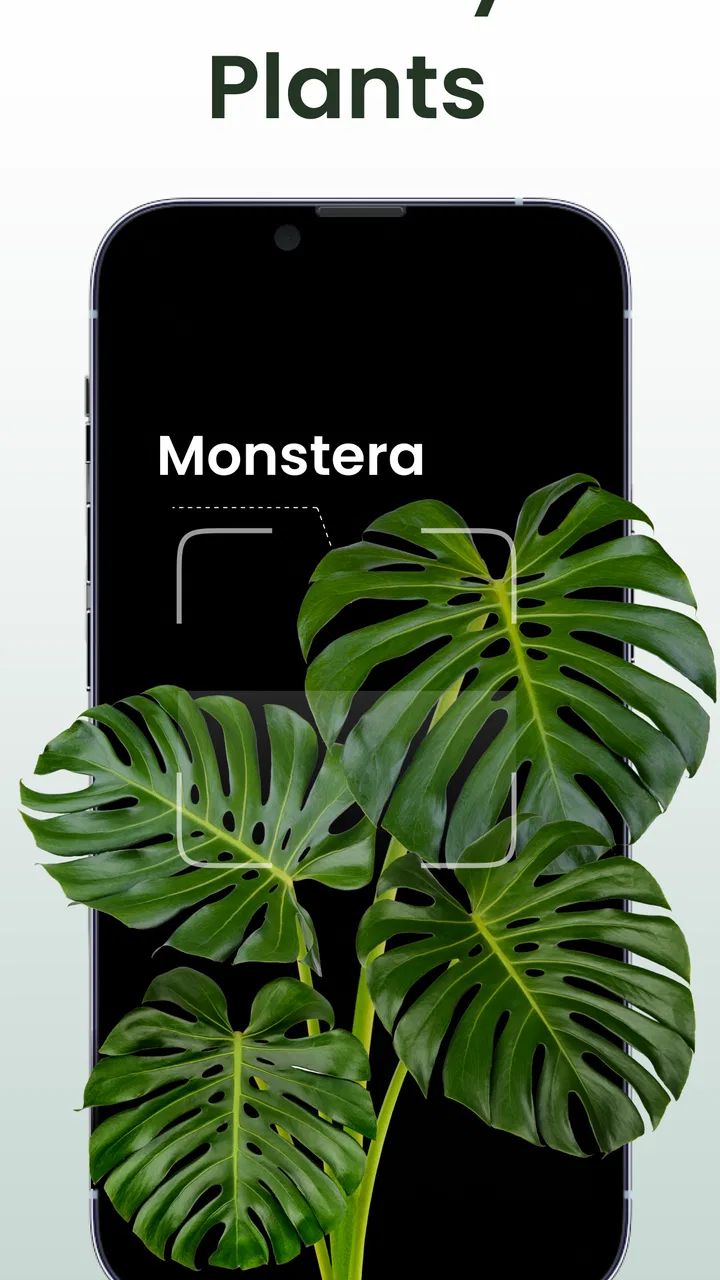
Plant Identifier: Plantiary
- 4.5
- Rating
- 100.00K
- Installs
- Free
- Price

 Analysis by App-foxy
I came away from Plant Identifier: Plantiary thinking of it less as a botanical reference book and more as a practical companion for people who want quick help with everyday nature questions. Its central appeal is simple: point the app at a plant, insect, or mushroom and use the result as a starting point for learning and care. That makes it especially approachable when I am standing in front of an unfamiliar houseplant or trying to understand something growing in the garden.
What gives the app value is the combination of recognition and routine. Identification answers the immediate question, while care reminders are meant to help turn that discovery into an ongoing habit. I would not treat any camera-based result as unquestionable expert advice, particularly with edible or poisonous species, but I do find the format useful for narrowing down possibilities and organizing basic plant care. For a free productivity app from Blacke, it offers a focused way to make plant ownership less dependent on memory.
How the identification and care workflow feels in practice
The first thing I like about this app is that it addresses a real moment of uncertainty rather than asking me to search through long lists of species. When I see a plant I cannot name, a visual identifier is more convenient than comparing leaf shapes manually or browsing general web results. The same applies to insects and mushrooms, where a quick visual clue can help me decide what deserves further research.
You May Also Like

 Blood Strike: 2.5 Anniversary
Blood Strike’s Loadouts Turn Every Drop Into a Tactical Gamble
A close look at Blood Strike’s custom loadouts: how fast access to signature weapons reshapes its battle royale rhythm, rewards preparation, and narrows the gap between fights.

 Pandora - Music & Podcasts
Pandora’s Music Is Easy to Start, but Harder to Recover
Pandora’s strength is its low-effort path from a seed to a station. Its weak spot is how much confidence it asks you to place in connection, setup, and quiet recovery.

 8 Ball Pool
 Is Built on Rivalries, Rematches, and Routine
A close look at the rivalries, rematches, shared routines, and unanswered safety questions that turn a quick pool match into a persistent mobile community.

 Samsung Music
’s Quiet Strength Is Playing What You Already Own
Its reach comes less from spectacle than from dependable access to a personal library. That simplicity is both the app’s strongest retention engine and its ceiling.

 AccuWeather: Weather Radar
AccuWeather Review: A Quick, Clear Forecast for Everyday Decisions
For everyday plans, the best forecast is the one you can understand quickly. AccuWeather makes rain timing, radar, and local conditions easy to act on, with a few trade-offs.

 Hill Climb Racing
Why Hill Climb Racing Still Turns Crashes Into One More Run
A tiny car, a bumpy hill and one more upgrade: Hill Climb Racing keeps resurfacing because its simple chaos makes every near-miss feel personal.
More From Our News Desk
View All News


That convenience is also why the app fits naturally into ordinary routines. I can imagine using it after bringing home a plant from a market, while walking through a park, or when a new growth appears in a pot. The result is most useful when I treat it as a lead: I check whether the suggested identity matches the visible leaves, flowers, stem, habitat, and season before acting on it.
The care-reminder side gives the app a second purpose. Many people do not struggle to remember that a plant exists; they struggle to remember when they last watered it or when it needs attention again. A reminder-based approach can reduce that mental load, especially when several plants have different needs. I find this more useful than relying on a single recurring phone alarm, because a generic alarm does not tell me which plant needs attention or why I created it.
A realistic example would be a busy week in which I buy a small indoor plant and place it near a window. I identify it, make a note of its care routine, and use the reminder to check it instead of watering automatically every few days. That distinction matters. A reminder should prompt inspection, not force a fixed action, because soil moisture, room temperature, pot size, and light can change the right timing.
The strongest part of Plantiary is the bridge between “What is this?” and “What should I remember to do next?” Those are separate needs, but they belong together for beginners. Identification without follow-up can become a one-time novelty, while reminders without context can become meaningless notifications. Combining both gives the app a clearer role than a basic image-search tool.
Why the app works well for beginners
I think the app is most comfortable for someone who wants an accessible entry point into plant care without learning botanical terminology first. A new plant owner can begin with a photo and gradually learn to notice details such as leaf arrangement, color changes, and signs of stress. That makes the process feel less intimidating than opening a specialist field guide.
It can also help families and students turn a casual observation into a small learning activity. Identifying a plant, insect, or mushroom encourages a second question: where does it grow, what does it need, and what else resembles it? The app does not need to replace a book or a knowledgeable person to be useful in that process. Its role is to make the first step easier.
The broad subject range is another practical advantage. Someone interested only in houseplants may still encounter insects on leaves or mushrooms during a walk. Having those categories in the same productivity app avoids switching between several narrowly focused tools. I would still verify anything involving consumption, treatment, or possible toxicity elsewhere, but the wider scope makes the app more convenient for casual exploration.
Small habits that make the reminders more useful
My advice is to use the reminder as a review point rather than as an automatic watering command. When it appears, I would check the soil, inspect the leaves, and consider the plant’s recent light and temperature before taking action. This avoids one of the most common beginner mistakes: watering simply because a notification appeared.
I would also create reminders around observable tasks instead of vague intentions. “Check soil and leaves” is more useful than “care for plant,” because it tells me what to do when I am busy. For a collection of plants, separating those checks prevents the reminder system from becoming one large, easy-to-ignore block of notifications.
A less obvious benefit is that reminders can expose patterns. If I repeatedly postpone care for one plant, that may indicate that its location is inconvenient or that its needs do not fit my routine. In that situation, the problem is not always forgetfulness. Moving the plant closer to where I already spend time may work better than adding more alerts.
Where visual identification needs caution
Camera recognition is helpful, but I would not confuse a likely match with a definitive diagnosis. Plants can look different depending on age, lighting, season, damage, and growing conditions. A blurry image, a partial leaf, or a flower photographed from the wrong angle can also make recognition harder.
For better results, I would take a clear image in natural light and include the whole plant when possible. A second close-up of the leaf, flower, bark, or mushroom cap can provide useful context. I would avoid photographing through tinted glass or relying on a single detail that several species share. These steps do not guarantee correctness, but they make the result more meaningful.
The caution is particularly important with mushrooms and any plant someone might eat or touch. An identification app can support research, but it should not be the only basis for a safety decision. If the consequence of being wrong is serious, I would consult a local expert or authoritative reference. That is not a flaw unique to this app; it is a basic limitation of visual identification itself.
What may frustrate regular users
The main weakness is that a quick identification can create a false sense of certainty. The smoother the process feels, the easier it is to accept the first result without checking the details. Beginners may need a reminder that recognition is an aid, not a substitute for careful observation or specialist advice.
Care reminders also require personal judgment. Plants do not follow a perfectly fixed schedule, and a notification cannot see whether the soil is still damp or whether a plant has received too little light. Users who expect completely automatic care instructions may find the experience less precise than they hoped. I see the reminders as prompts for inspection, not as a complete plant-management system.
There is also a difference between discovering a plant and managing a serious collection. A casual owner may appreciate a simple workflow, while an experienced grower might want deeper records, detailed environmental tracking, or more specialized diagnostic tools. I would choose a dedicated horticulture journal or a trusted reference alongside this app if my plants were valuable, rare, or central to a professional operation.
The app is free to install, which makes trying it low-risk, but it includes in-app purchases ranging from $0.99 to $49.99 per item. That pricing range is worth considering before committing to any paid extras. I would begin with the free experience and decide whether the identification and reminder workflow genuinely fits my habits before spending money.
Its age rating is Everyone, so the subject matter is broadly suitable for general audiences. That does not remove the need for adult supervision around unknown mushrooms, poisonous plants, or insects that may sting. The rating describes accessibility, not a guarantee that every real-world identification decision is harmless.
How it compares with ordinary alternatives
The most obvious alternative is a general web search. Searching manually can provide richer context and more sources, but it takes longer and depends on choosing accurate search terms. Plantiary is better when I want a quick visual starting point and a reminder connected to the thing I have just identified.
A phone’s built-in notes or calendar can handle reminders, but they usually require me to identify the plant elsewhere and then create the record manually. That separated workflow is perfectly adequate for a small number of plants, yet it becomes less convenient when I want discovery and follow-up in one place. Plantiary’s advantage is not that a calendar cannot remind me; it is that the reminder begins with a nature-focused task.
Specialist plant databases and books remain stronger choices when accuracy, regional detail, or careful comparison matters most. They encourage slower observation and often provide the background needed to distinguish similar species. I would use those resources when an identification affects safety, treatment, conservation, or a valuable collection. Plantiary is more appealing for speed and approachability than for replacing expert references.
Who should use it, and who should skip it
I would recommend this app to new plant owners, curious walkers, parents looking for an easy nature activity, and anyone who repeatedly forgets basic plant checks. It is also a sensible option for people who want one lightweight tool for plants, insects, and mushrooms rather than separate apps for each subject.
I would be more hesitant to recommend it as the only tool for professional growers, serious collectors, or anyone making safety-critical decisions. Those users need dependable verification and possibly more detailed records than a general identification-and-reminder app is designed to provide. Someone who already has a well-organized calendar and a trusted field guide may also gain little from changing systems.
The app runs on Android devices using version 8.0 or later, and its current version is 5.2.56. That makes compatibility straightforward for many users, though I would still check the device requirement before installing on an older phone. Blacke has kept the product focused on the practical combination of recognition and care, rather than trying to turn it into an all-purpose gardening platform.
Its reception suggests that many users find the concept worthwhile: it holds a 4.5 average from around five thousand ratings, with roughly two hundred seventy written reviews and over one hundred thousand installs. I see those figures as evidence of an established audience, not proof that every identification will be correct or that the workflow will suit every collection.
My final view after using the app
Plant Identifier: Plantiary succeeds when I use it for what it is: a friendly first step from curiosity to action. The identification tools make unfamiliar nature easier to approach, while reminders give discoveries a chance to become lasting habits. I especially like the idea of using each alert as a moment to inspect rather than blindly water, because that turns a simple notification into better care.
Its limitations are meaningful but manageable. Visual results deserve verification, reminders cannot understand every plant’s changing condition, and users with advanced needs may outgrow the app. The presence of optional purchases also means I would test the free experience carefully before paying for additional functionality.
Overall, I would suggest trying it if you want a free productivity app that makes plant care more approachable and gives you a convenient way to investigate insects and mushrooms too. It is best for quick guidance and consistent attention, not for replacing expert identification. For a beginner who wants less guesswork and fewer forgotten checks, that is a useful balance, and it is the reason I would recommend giving Plant Identifier: Plantiary a place in a basic nature-care toolkit.
FAQs for Plant Identifier: Plantiary
01What is Plant Identifier: Plantiary and how does it work?
Plant Identifier: Plantiary is a mobile app designed to recognize plants from photos and provide useful information about them. After taking a picture or selecting one from your gallery, the app analyzes visible characteristics such as leaves, flowers, and overall shape. Results may include the plant’s possible name, basic care guidance, and related details. Identification is helpful for reference, but it should not replace expert advice.
02How accurate is Plant Identifier: Plantiary when identifying plants?
The app can provide quick and useful identifications, especially when the photo is clear, well lit, and shows distinctive parts of the plant. However, accuracy can vary depending on the image quality, plant species, growth stage, and regional varieties. Some plants look very similar, so Plantiary should be treated as an identification aid rather than a guaranteed scientific diagnosis. Comparing results with reliable botanical sources is recommended.
03Can Plant Identifier: Plantiary diagnose plant diseases or offer care recommendations?
Plant Identifier: Plantiary may provide information related to plant care and can help users notice possible problems when symptoms are visible in a photograph. Nevertheless, image-based suggestions are not always conclusive. Lighting, camera quality, pests, watering issues, and nutrient deficiencies can produce similar symptoms. Use the recommendations as general guidance, and consult a gardening professional when a valuable or seriously affected plant needs treatment.
04Is Plant Identifier: Plantiary free to download and use?
The app may be available to download without an upfront charge, but some features can depend on the current version, subscription plan, advertisements, or in-app purchases. Users should review the pricing information shown on the Google Play Store or Apple App Store before confirming a purchase. Pay particular attention to trial periods, renewal terms, and which identification or care features are limited to premium users.
05What should I know about privacy before uploading plant photos?
Before using Plantiary, review its privacy policy and the permissions requested by the app. Photos may be processed on the device or uploaded to online services for analysis, depending on how the application operates. Avoid including faces, private documents, home addresses, or other sensitive details in images. Also check whether account data, saved photos, or usage information may be stored or shared with service providers.
Pros
- Identifies many common plants from a quick photo
- Useful for beginners learning basic plant names
- Clean interface makes scanning simple
- Plant records help organize saved identifications
- Works well for casual outdoor plant discovery
Cons
- Results may be less reliable with blurry or unusual plants
- Some features may require a premium subscription
- Plant care advice can be general rather than species-specific
- Photo-based identification depends on good lighting
- May not replace expert advice for toxic or invasive plants

Plant Identifier: Plantiary
Gallery